Showing posts with label Business Classes. Show all posts

Wednesday, March 29, 2017

March 29 - National Mom and Pop Business Owners Day!

Nowadays, every day seems to be some kind of day to celebrate something. March 29th, then should be left out. Turns out March 29th is not only the anniversary of the Treaty of Saint-Germain (which returned Quebec to French control after the English had seized it back in 1629), it is also:
 National Mom and Pop Business Owners Day!

Okay, it’s not very likely that Hallmark will be offering greeting cards for this holiday any time soon, but it does highlight an important aspect of our economy – small businesses.
Many people dream of owning their own businesses and this is a chance to remember that behind every store front there’s somebody who owns it.
As much as owning a business can be a dream, it takes a lot of dedication and hard work. Most small businesses fail and it’s only the very few that can survive past the 3-year mark.
Purchasing goods and services online is getting easier and easier. Yet, there is nothing like the feeling of going into a locally owned used book store and just spend some time browsing and finally settling on a purchase. That’s the advantage of small businesses.
The origins of #MomAndPopBusinessOwners day, so the story goes, include a couple who decided to mark a day to remember people like their parents who started a hat shop back in 1939. This is one of those businesses that survived and took off to earn over $2 million a year store selling clothing.
The good news is it is now easier than ever to become an entrepreneur. Just be sure to sell something people want to buy. Or sell something in a unique way.
Community Business College offers classes to help people get started in being an entrepreneur. And remember, many of your startup expenses, including education, can be tax deductible.

Wednesday, April 20, 2016

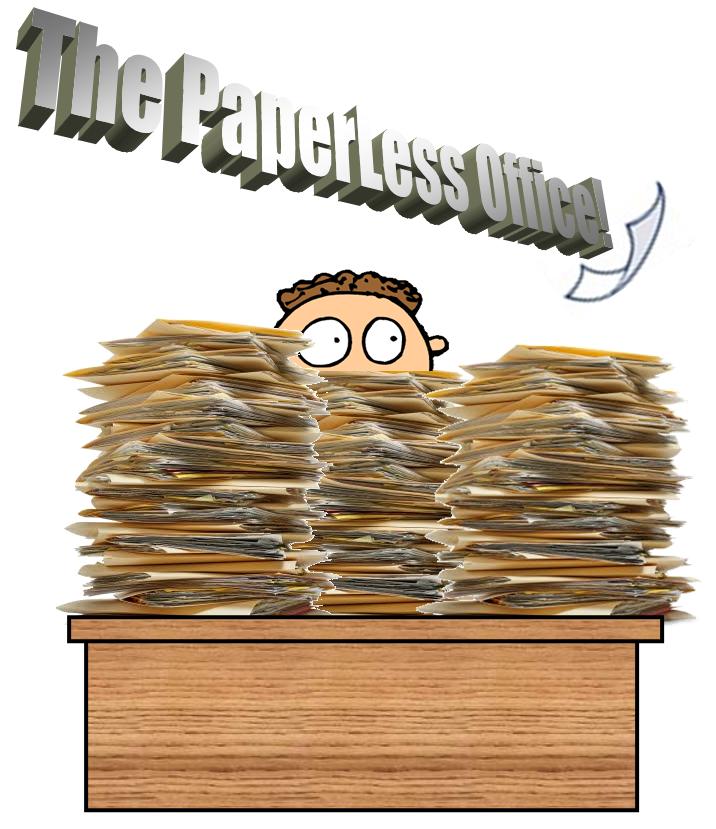
Where’s The Paperless Office We Were Promised?

During one of our business class discussions, the concept of the paperless office  was brought up in regards to making and maintaining computer backup files in a QuickBooks class.  The question is, “what ever happened to the paperless offices we were predicted to have by now?”


Back in the 1980s and ‘90s, there was a big push towards making all business documents exclusively electronic documents. The idea was nobody would ever have to print a piece of paper because the document can be moved effortlessly from one computing device to the next. Since it is so much easier to edit a document on a screen then on a sheet of paper, this would save time, money, effort, the environment, etc., etc.

There was even conjecture that bulk paper manufacturers would become a thing of the past, sort of like the makers of horse and buggy whips for the everyday traveler and hitching posts.

So what happened? Obviously, paper hasn’t disappeared. In fact, it’s more prevalent than ever. What happened to the concept of the paperless office?

Here are few points from our classroom discussion:

Nothing Feels Like Paper.
Paper hasn’t disappeared because it’s so useful. Got to hand it to old Gutenberg, paper is still an extremely efficient carrier for messages. And nothing yet feels as solid and tangible as paper. Seeing a document on the screen is one thing, but getting it handed to you on sheets of paper makes it seem more “real.” Another fascinating fact is once you download an Adobe pdf file, you can look at the page count to see how long the document is. On the other hand, if you are handed a stack of papers stapled together, you immediately have a sense of how long the report is before you even look at it.

Can’t Trust Those Computer Contraptions

Despite vast improvements in the reliability of computer hardware and backups, there’s still the comfort of having your information on paper as a last resort. If you have just finished an exhaustive project upon which your career and livelihood depend, isn’t there something in the back of your mind that says print out a copy and keep it in a file folder…just in case? It’s that nagging little suspicion that is replicated dozens of times a day that means paper isn’t going anywhere soon.

Besides, putting an urgent piece of paper on an absent co-worker’s keyboard is going to get noticed before any e-mail or transferred file.  So paper is still a tried and true method of getting your message noticed.

The Best (Worst) of Both Worlds
There has been great progress to eliminating the mounds of paper that used to be produced. Document management systems help keep things organized and archived. Just look at how people file their income taxes every year – more and more can electronically file saving, literally, tons of paper.

The other advantage of paper is it doesn’t matter what operating system or what device is your our your company’s personal preference, it will work. You don’t have to worry about device compatible operating systems to read a post-it note and you don’t have to be concerned that your recipient will need the latest software upgrade in order to read your document.

That doesn’t mean that things won’t be changing any time soon. There are electronic paper substitutes being developed which when adopted again might not completely replace paper but will probably find its own specific uses.

So it pays to keep up with trends, including storing documents in The Cloud. There’s much to learn to truly understand the cloud, including how to make the cloud work for you. Click HERE for details on a short class.


Just remember, that when the real paperless office arrives, be sure you get the memo.
www.gocomics.com
PC & Pixel

Thursday, December 17, 2015

What Did YOU Learn Today?

One of the things we do at Community Business College is ask all of our students, “what did you learn today?”

It’s a good reinforcement tool and sometimes the answers to that question tell us a great deal about where a student is in the learning process and it caps off an end to the class with a quick learning review.

After completing a QuickBooks class module with the learning-challenged students from Modesto’s Mentor Network yesterday, we reviewed their Profit and Loss Statements. This is something new for the college and we did this class as a pilot project. As you'll see, it was a huge success!

In this QuickBooks class, the students got to choose their own stores, come up with the names and stock it with virtual products. They learned how to order stock, pay for it, sell it and make deposits.

For those not in the know, a Profit and Loss (also known as P&L) Statement is a tool for businesses to use to determine whether or not your business is profitable, how much of a profit has been made or if the business has incurred a loss.
Our Sample P&L Statement

Profit and Loss Statements are also commonly referred to as an income statement, statement of financial performance, revenue statement, earnings statement, or statement of operations. To paraphrase Shakespeare, “A report by any other name will still smell the same.” Whatever you decide to call it, the purpose of the report is to present the revenues recognized for a specific period, and the cost and expenses charged against these revenues, including write-offs (e.g., depreciation and amortization of various assets) and taxes.

So yesterday, they got to run their Profit and Loss Statements for the first time. Then they got to make them blue, modify the report and save the report. We did some more sales, went back and checked the Profit and Loss and saw the growth.


The class learned about the literal “bottom line” on the report tells them how well their company is doing and the real meaning behind the term “Black Friday” (the day when traditionally, companies that are “in the red” see their profits move back “in the black.”)

Then we got to run the sales graph which is QuickBooks’ very colorful illustration of the results of the sales of a company.
That got a lot of oohs and aahs.


At the end of the class, we asked, “so, what did you learn today,” and almost unanimously came the replies about making profit. Of all the QuickBooks activities they did that day, seeing the graphic results of the work in their stores is what they remembered most.

And they had fun learning, too.

All of the students and the aides worked really hard to get to this point. QuickBooks makes things easier but it still takes patience to make work correctly. And these students did it. It warms our hearts to see them enjoy learning so much and it reminds all of us how lucky we are to have the gifts we have.

So here’s the question of the day: “What did you learn today?”

Can you help us keep this program going? We set up a GoFundMe campaign to try to offer this program to those who have special needs. Check out the details here at https://www.GoFundMe.com/101lqw


Learn to master QuickBooks in one of the campus-based or online classes Community Business  College offers. Then when you’re done, pass the Intuit Certification Exam and receive an official QuickBooks certificate

Happy Valentine's Day 2019

Our students are the best! Thanks for the chocolates and thanks for sharing with the class! We really do have the Best Teachers Ever! ...