As we approach the Thanksgiving holiday this year, one of those common every day things we forget to be thankful for is the ability to write. It is easy to take for granted and yet, even in today's climate of videos and graphic arts, that ability to communicate via writing is still a blessing. After all, how do we communicate video scripts and the instructions for illustrating? Through writing.
One of the most important writing tools in our modern era is Microsoft Word. And it's never too late to learn more about this tool. That's what the adults in our Microsoft Word class that is wrapping up today learned.
Blogs and micro-blogs like Facebook and Twitter still need tools to help them be at their best. Writing and saving drafts in Microsoft Word
Here's a Twitter tip: Work out your tweet in Microsoft Word first, using the word and letter count tool. It is quicker and easier to maximize your 140 character tweets and cram your message into one tweet instead of serial tweets. Plus, you can save a chronology of your tweets in one document in case you ever need them quickly.
And don't forget, when you fell like you have mastered Word, sign up to take the Microsoft Word certification exams.
Showing posts with label Microsoft Word. Show all posts
Showing posts with label Microsoft Word. Show all posts
Friday, November 17, 2017


Thursday, August 17, 2017
Everybody Needs A Refresher - Even Microsoft Testing Software
 Not only do people need to refresh themselves with new knowledge every once and awhile, but computer software does, too.
You've undoubtedly seen your operating system constantly updating itself. It needs to learn to new things, too.
So today, John is updating our Microsoft Office Testing Center for the new school year. So even tests need to refresh themselves. In a way, it's the computer software practicing lifelong learning.

Just like with humans updating our skills, the process is not difficult but it just takes a little time.
Thursday, August 4, 2016
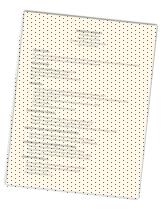
Should I Send My Resume In Word Format or As A PDF File?
This morning, one of our
Community Business College graduates called and asked for a bit of advice –
Should she send her resume to a potential employer in the Microsoft Word format
or should she send it as a .pdf file?
Here’s why she asked – She said she first attached it as a Word
document for convenience sake but when she tested it and re-opened it, the
resume lost some of its formatting. Not bad, mind you, but it did throw some
text onto a second page and the margins shifted some.
Our advice to her was to send a
second e-mail using the pdf format which does not have the changing formatting
issues and offer it to the employer an option with a note to saying something
like, “I thought I’d also send you a pdf copy of my resume so that you have a
choice to use the format you prefer.”
Now we’ll wait to see if she gets
the job interview.
So just what are the rules on
file attachment in sending your resume to employers?
First, there’s the

The Golden Rule on resume
attachments is – first always do what the employer asks. If the employer asks
for resumes but “no attachments,” for example, then do not attach anything, but copy and paste your resume. If the
employer asks for “no Word documents,” then do not send word documents.

Advantages of the Microsoft Word Format
1.
One advantage to sending a native Microsoft Word
document is the job seeker can just send the most current resume and doesn’t
have to worry about different versions.
2.
The second advantage is the employer who receives your
Word document can open the document without any additional software (e.g. Adobe
Acrobat Reader) and can then copy the data over into either other hiring
software or a template used to hire candidates.
Disadvantages of the Microsoft Word Format
1.
One reason employers may ask for “no Word documents” be
sent is some Word documents can carry viruses and malicious code that can hurt
the recipients computers.
2.
As in our graduate’s case, you probably won’t know
which version of Microsoft Word that the employer is using. If you have saved
your Word document in a more current version than the employer, the formatting
may get a little funky. It’s still going to be legible and the document can
still be used but it won’t be perfect. Remember, resumes
should be as perfect as possible. Sometimes little imperfections serve as
an excuse for a screener to reject a given resume without having to read it
further.
Advantages of the Microsoft Adobe PDF Format

1.
Because the PDF format is now an open standard maintained
by the International Organization for Standardization, PDFs look the same the
world over. The type of machine doesn’t matter and the operating system an
employer might be using doesn’t matter either. As long as they have the free Acrobat Reader DC
software they can see any pdf document the same way it was sent.
In that sense,
this makes it closer to a piece of paper than almost any other digital format.
2.
Most other software programs now recognize the PDF
format and will open or import .pdf files without any problem.
Disadvantages of the Microsoft Adobe PDF Format
1.
Sending in PDF takes an extra step and requires you to
track more than one document. When you convert your resume from Microsoft Word
to a .pdf document, you are creating one more file to keep track of.
Say, for example, you’re applying
for a job today and you convert your resume to a .pdf format and send it off.
Next week, another job opportunity comes along and you want to make some
changes and send it again. Now you’ll have another version of your resume.
After a few times of this, you can end up with a whole bunch of versions of
your resume that can get confusing.
A simple way
to fix this is to always create a new
pdf before sending it. Then, delete it from your storage file after you’ve
submitted it. This way the Microsoft Word document is always the most current form of your resume.
Another option is to use the same
file name when saving your .pdf document. Here’s an example:
BenFranklinResume.pdf. Then, the new .pdf file replaces the old one and you’ll
only have one file to worry about.
2.
Although most pdf documents can allow for text to be
copied in the document, some are locked. If, instead converting the Microsoft
Word document to .pdf, you scanned it off a printed copy, it might even be more
difficult to extract text.
Unless otherwise directed
(remember the Golden Rule), Community Business College recommends using
the .pdf format when submitting resumes.

Need
to learn more Microsoft Word tricks? Take a Microsoft Word class with us. You
can purchase a short course directly
from Community Business
College at http://www.cbcwebcollege.com/shopcart/
 Do you find the job search
process frustrating? Try taking a class on finding a job with our
six-week, instructor-led online course at: http://www.ed2go.com/cbc123/online-courses/12-steps-to-successful-job-search
Do you find the job search
process frustrating? Try taking a class on finding a job with our
six-week, instructor-led online course at: http://www.ed2go.com/cbc123/online-courses/12-steps-to-successful-job-search
Friday, July 10, 2015
Mastering Microsoft Office
Today,
Community Business College had a record-setting day. One person was able to
complete her Microsoft Office Masters certification by completing all four
required tests in three days.
Test Strategy
Here’s
what she did to strategize:
First
pick the Microsoft
Master certification you want.
Recently, Microsoft changed the system to include two different tracks
that include two expert exams for Microsoft Word and Microsoft Excel.
Here
are the Microsoft Office master certifications from which to choose:
Exams required:
Elective exams (choose one):
Exams required:
Excel
2013 Expert Part 1
Excel
2013 Expert Part 2
Elective exams (choose one):
Traditional Office 2013 Track
Exams required:
Word
2013 Expert Part 1
Word
2013 Expert Part 2
Excel
2013 Expert Part 1
Excel
2013 Expert Part 2
Exams required:
Elective exams (choose one):
In
her case, she wanted the Microsoft Word 2013 Track because she uses Microsoft
Word heavily at her work site. So that’s the one she picked.
The
next strategy is to figure out where you strengths are. When taking the
Microsoft Office exams, it helps to start off with a program you are very
familiar with. That way you get quick passing grade and build momentum.
Here’s
the way she did it: She did these two exams on one day:
Then
this exam the following day:
And
then finally this exam today:
PowerPoint
can be a difficult test because a lot of people take it for granted. If you use
a lot of its features though, or study up on the ones you’re not that familiar,
it’s not too hard.
The
recent change in the Microsoft
Expert certification means that the Microsoft Word Expert exam is now split
up into two 50-minute exams. It means you have to be familiar with a wider
range of Microsoft Word functions in order to pass it.


Why Go To All That Trouble?
The
Microsoft Office Master
Certification demonstrates the highest level of proficiently when using
Office programs. Many employers will use it as continuing education units or to
meet certain job requirements. It certainly helps when you’re going in for an
annual employee evaluation meeting.
Certification is Important
The
need for Microsoft Office skills is increasing dramatically as more and more
businesses are embracing newer technologies. Microsoft Office Specialist
certification enables Office users to demonstrate their abilities to
complete tasks and projects with greater ease and efficiency with proven Office
skills. Based on globally recognized standards, MOS certification validates
your skills, builds self-confidence and enhances professional standing among
peers and managers.
Lifelong Learning
Getting
certified through Microsoft also provides a good deal of personal satisfaction.
Adults always need to practice lifelong
learning and this is one way to do it. The new Microsoft
Office Specialist certification validates the skills needed to use the
powerful features and functionality of the Microsoft Office programs by passing
a results-oriented computerized exam. Those who successfully complete a
Microsoft Office Specialist exam have demonstrated the skills necessary to work
faster and smarter while improving performance.
Bottom
line – you get out of Microsoft Office only what you put into it. The more you
know, the more you can do.
As
you study and prepare
for the Microsoft Office Master certification, you’ll find you learn a lot
more about these programs than you’ve been using. Hopefully, you’ll be able to
put what you’ve learned to good use in more efficient and time-saving work.
One
of the nifty changes the testing system has made is they now offer
certification verification. It’s sure easy for unscrupulous people who want to
forge their own certifications to run off their own on a good color
printer. Microsoft Office certifications
now offers this website : www.verifycertiport.com
where anyone can enter a code that
appears on all official certifications

Need
to brush up on your Microsoft
Office classes before you look at the exams? Join us at the Community Business College
campus in Modesto, California or use distance learning to take an online class. More information can be
found at this catalog of Microsoft classes: https://cbc.ed4online.com/search?search_api_views_fulltext=microsoft+office+certification
Subscribe to:
Posts (Atom)
Happy Valentine's Day 2019
Our students are the best! Thanks for the chocolates and thanks for sharing with the class! We really do have the Best Teachers Ever! ...

-
 According to a US Department of Labor news release , 18,000 former Hostess workers (the makers of Twinkies and Ding Dongs) are now eligibl...
 -
 During one of our business class discussions, the concept of the paperless office was brought up in regards to making and maintaining com...
 -
 The question came up today, "What non-English language will be most useful for my child to know in 20-30 years?" Here's the ...