Thursday, July 28, 2016

What Not To Ask In Job Interviews

July 28, 2016

During job interviews, you will often be given the opportunity to ask the interviewer if you have any questions.

A famous aphorism we hear a lot is, “there is no such thing as a dumb question.” But when you are an interviewee in a job interview, is that always true?

There are questions you might want to ask but try to remember, not every question is appropriate during the job interview.

Here are some examples of what to NOT ask:

1. When can I take my first vacation?


Believe it or not, we’ve had an instance of somebody asking that very question at a first job interview.

Why it’s wrong: It makes you sound like a mercenary or, worse, a clock-watcher that cares less about the work and more about getting more personal time. Also the focus is immediately shifted to what can this company do for you instead of what you can do for this company that other candidates can’t or won’t.
How/when to ask: Wait until you’re hired. When you are doing all the human resources paperwork you can ask questions about all of the employer’s benefits and vacation policies. One suggestion is to ask it in the form of “can you tell me how vacation time is requested?” And be sure to ask other questions.
It is always a good idea to ask a lot of questions during the human resources orientation.  By the way, when asking these questions take notes on a pad of paper (or, yes, even a tablet and notepad on your smartphone are acceptable).  This not only gives you the appearance of looking professional but during orientation, you are probably going to bombarded with a lot of information all at once. Having notes gives you something to refer back to later when you have time to really absorb everything.

FYI: The person who asked that question did not get the job.


2. "What would my salary be for this job"

Of course this is the question to which you really want to know the answer. But you shouldn’t ask it now. There’s a much better time.

 Why it’s wrong:  Asking about salary gives the impression of being a mercenary. Certainly, the unspoken truth that everybody in the room knows is you wouldn’t be sitting there listening to all those questions unless there was the possibility of some money down the road for you.
At this point in your professional relationship, the interviewer probably wants to talk about you rather than the company. If you have the opportunity to ask questions, pick ones that help focus on your skills and abilities. This question should wait for later.
Thanks to Herman
How/when to ask:  Absolutely be ready to talk salary after you are given the job offer. Think about what you’d really like for a salary for a particular position. When you get the call offering you the job, the answer to this question can be a crucial one in making your decision on whether to take the job.

The “Exception:” Here’s a caveat about not asking this question at the job interview. As the interviewee, it is wise to hold back on this question, however always be prepared to start talking salaries if the interviewer brings it up first. Sometimes you will be asked this because the company wants to know if they can afford you. Other times it might be to get you to commit to a figure. So, before going into the interview, be ready with an answer, only don’t be the one to ask the question.
If you are asked your idea for a salary, and you are unsure, there are two easy answers to use. One is to ask a question, such as, “can you tell me what someone starting in a position like this typically makes?” That swings the onus back on the interviewer to give the first number. The other is to provide a range, such as “I was thinking about something between $18 and $22 an hour,” or whatever you feel is a good fit for you. By giving a range, you allow yourself some flexibility when you get the job offer and you know a little more about the duties and activities you are expected to perform.


3. Would you like to see my letters of recommendation?

You’ve got some good letters of recommendation or other references that you think will help make your case for the job, so you want to provide them to the interviewer.

 Why it’s wrong:  Never ask a question where you don’t like 50% of the answers. If the interviewer answers, “no, thank you,” you’ll feel rejected.

How/when to ask:  This is one question you never want to ask. You should, instead, consider making a statement, such as, “here are some references which might help you make your decision,” and then hand them over without asking. Most people will reflexively accept something handed to them and the interviewer will probably take them from you.
If, however, you ask the question, it gives the interviewer the opportunity to say, “no.” There’s enough rejection in the job search process, why ask for one more?
Another good opportunity to “play” your references letters are in the middle of an interview when you’re asked a question like, “how would your last supervisor describe your work?” If one of your recommendation letters is from that person, it’s a perfect time to pull out a copy and hand it over. That way, it’s not just your word, it’s from somebody who has nothing to gain and is in writing, which makes it seem that much more ingenuous.

4. Do you look at social media (or credit scores) when deciding on the final candidate?


Why it’s wrong:  This question is too leading. It would make anybody listening to it wonder why the question is being asked and possibly assume that something is wrong.
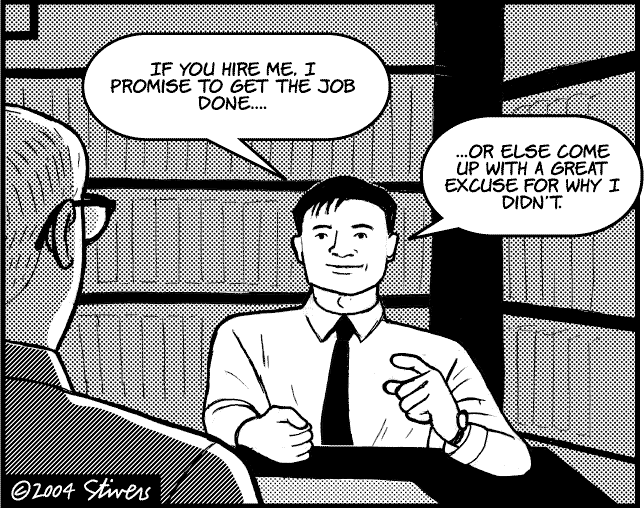
http://www.markstivers.com/cartoons/Cartoons%202004/Stivers-4-18-04-Job-intervi.gif
Thanks to Daily Dose
How/when to ask:  This is one of those as an interviewee you probably will never ask until you’ve been actually hired. Many employers will ask your permission if they can check your credit score, social media, references, etc. on the application you initially complete for the position. If they don’t ask, it doesn’t necessarily mean they don’t check those things, but you don’t want to upset the apple cart by asking about it.
If you’re really worried about it, by the time you get to the job interview, it’s more than likely already too late. The good news is if they have checked something

5.  Any question that makes the interviewer think you haven’t been paying attention.

The stress of being asked question after question by a stranger sometimes feels like an interrogation, and it can be difficult to remember exactly what the interviewer told you before and during the interview. This is why it’s a good idea to practice your interviewing skills, and one thing in particular to focus on is listening to clues the interviewer is giving you about the job.
One example might be the interviewer compliments you on the formality of how you dressed for the interview and says that it is exactly what the company expects every day. It’s a bad idea to ask at the end of the interview if casual attire is okay.

Why it’s wrong:  Questions like these make the interviewer think you’re not a serious candidate. Also , remember, being a job interviewer can be a tedious task and when an interviewee asks a question that gives an impression of detachment, it’s just going to work against you.

How/when to ask:  If you do get stuck for a question to ask, ask ones that are likely to be always safe, such as, “where do you see this position five years from now?” Even if the interviewer touched on the changes expected in the position, it’s unlikely that a specific time like five years is discussed. The interviewer will then have an opportunity to get into specifics and you’ll look like you’re completely engaged.


These are some of the tips we have used at Community Business College to help our students get the jobs they want. There are a lot more and, like anything, good practice makes better results. We offer a successful job search six-week class which can be taken on our campus or online. - http://www.ed2go.com/cbc123/online-courses/12-steps-to-successful-job-search


You can also get expert assistance on putting together a job application package through the Community Business College Groupon resume deal - https://www.groupon.com/deals/community-business-college/


Thanks to Dilbert.com

Tuesday, July 26, 2016

Making QuickBooks Quicker – Top 5 Tips for Quickerbooks

The programmers at Intuit have designed into the QuickBooks program certain Keyboard Key Combination Shortcuts (sometimes called “Access Keys”) that, once memorized, can make you a lot more efficient.
Technically, keyboard shortcuts are typically a means for invoking commands using the keyboard that would otherwise be accessible only through a menu, a pointing device, different levels of a user interface, or via a command-line interface. Keyboard shortcuts are generally used to speed up common operations by reducing input sequences to a few keystrokes, hence the term "shortcut".

As with most programs, QuickBooks has always used shortcut keys. Pressing the CTRL key and pressing A, for example, will always bring up the chart of accounts, no matter which version you’re using.

If you’re right handed, the best keyboard short cuts for QuickBooks are found on the left hand side of the keyboard. Why the left side? Because that way you don’t have to take your right hand off the mouse of the item you’ve selected in order to engage the shortcut key.

We teach these in our QuickBooks classes. They are usually a big hit.

Making QuickBooks Quicker – Top 5 Tips for Quickerbooks 

The Magic of Shortcuts
PC Version

CTRL+ R Use the Register.  No  matter where you’re at in QuickBooks, this shortcut will bring up your checking, savings and other bank accounts so that you can view and interact with their registers.


Ctrl+Q brings up a Quick Report for any thing you have selected (examples are a customer, an account in the chart of accounts, an item or service, and a vendor). Quick reports are handy ways of easily seeing how the data is coming along in QuickBooks.


   CTRL + I Need to make an invoice?  This keyboard shortcut will immediately pop up a new invoice screen.


Ctrl+E  Edit a selected transaction this can be a customer, item, vendor or any other selected item that you are allowed to edit.
This shortcut is a twofer. You going to get two shortcut keys for one tip. Strongly related to the Ctrl+E edit shortcut is the Ctrl+N:
Ctrl+N  Create a new entry whether it be a new customer, new vendor or new account. You must first open the main window before this becomes available (for example, the customer center).


F3  Pressing the Function 3 key (also known as the F3 key) on the top row of your keyboard pops open a search window to search your entire QuickBooks file.
This one is another twofer. Very closely related to the global search of the F3 key is the Ctrl+F shortcut:
Ctrl+F  Find a transaction in the active window. This differs from the F3 function above in that it Ctrl-F is specific to searching only the active window and its related transactions.

BONUS TIP – If you are used to using the standard Ctrl+A shortcut in Windows to select whole blocks of text or even numbers, it will not work in QuickBooks. QuickBooks reassigns Ctrl+A to activate the Chart of Accounts. Whereas the rest of our shortcut tips are ones you have to learn, this one you have to unlearn. It can be quite annoying when trying to select a description by pressing Ctrl+A and instead having a window with all of your accounts pop up. You have to close the chart of accounts window and then use the mouse to select the text.

Want to really master QuickBooks? Become a QuickBooks Certified User by taking the official exam. We offer study guides and classes to help people pass. Click here for more details.

Thursday, May 19, 2016

Free PowerPoint Certifications Are Here at Community Business College!

www.cbc123.com
Community Business College has been selected as an official Microsoft Office Specialist  beta testing center for the newly developed Microsoft PowerPoint 2016 certification exams.

The beta testing will be offered free to volunteers who would like to participate and will take place through May 30, 2016 (or until enough exams have been administered to provide complete results). The college is waiving the regular exam proctor fee for the duration of the beta testing period.

The college began working with the Microsoft testing administrator earlier in 2016 to assist in beta testing the suite of programs that make up Microsoft Office 2016. Beginning with Microsoft Word and Microsoft Excel, the Microsoft PowerPoint exam is now ready to be tested.

Officials at Community Business College report they will be starting the testing with current students and graduates but are also opening the testing opportunity to members of the public who would like a no-cost attempt at earning technical computing certifications.

These exam certificates are the official acknowledgement from Microsoft that holders possess certain levels of competence in the program and this information has been independently verified.

MOS Certification

The purpose of the Microsoft Office Specialist (MOS) certification is to allow people to earn a certificate in a specific Office Suite program. Microsoft states that one of the advantages of earning an MOS certification is that holding a MOS certification can earn an entry-level business employee as much as $16,000 more in annual salary than uncertified peers.

Community Business College was selected because of its expertise in the technologies required for implementing the exams and its extensive experience in beta testing technical certification exams.

To implement the beta testing program, Community Business College is providing free MOS Certification vouchers to volunteers who would like to assist in the beta testing of these fully online exams. In exchange for their evaluations of the exam system, participants who pass the exams will receive official certifications at no charge to them. The school is absorbing all costs for this high-technology project and will provide these services all at no cost to the participants. The vouchers will be distributed on a first-come-first-served basis up until the project is complete.

Exams are primarily performance-based and conducted in a "live," or simulated, environment. Exam candidates taking these certification exams are asked to perform a series of tasks to clearly demonstrate their skills. For example, a Word exam might ask a user to balance newspaper column lengths or to keep text together in columns. MOS 2016 presents the candidate with a project to build, with tasks and steps that build on each other.

Each beta exam takes about 2 hours to complete (although some test takers may finish quicker).

Why Community Business College?
Community Business College’s director, Dan Guerra, said, “Our goal in participating in this high technology project is to test the functionality of the updated exams and their new delivery engine environment. Modesto, with its new initiatives to kick start its technology sector, is a great place for this to happen. It’s also an excellent opportunity for people in the Central Valley to earn an official technology certification at no cost to them.”

People who do well on this exam, even if they don’t pass, might want to try their hands at the Microsoft Office Specialist World Championships.

The Microsoft Office Specialist World Championship is a global competition that tests students’ skills on Microsoft Word, Excel and PowerPoint. Top students are invited to represent their respective countries at the World Championship. In some countries or regions, students are required to participate in a National Championship, and the winners of that event continue on to the World Championship.

Community Business College is also offering a complimentary study guide and informational outline on its website for those interested in learning more about the exam. Once the beta testing is complete, the live version of the exam will be continuously available at the institution.

People who would like to participate in the beta test can contact the school’s main office either by phone or e-mail through the webpage www.cbcwebcollege.com.


Wednesday, April 20, 2016

Where’s The Paperless Office We Were Promised?

During one of our business class discussions, the concept of the paperless office  was brought up in regards to making and maintaining computer backup files in a QuickBooks class.  The question is, “what ever happened to the paperless offices we were predicted to have by now?”


Back in the 1980s and ‘90s, there was a big push towards making all business documents exclusively electronic documents. The idea was nobody would ever have to print a piece of paper because the document can be moved effortlessly from one computing device to the next. Since it is so much easier to edit a document on a screen then on a sheet of paper, this would save time, money, effort, the environment, etc., etc.

There was even conjecture that bulk paper manufacturers would become a thing of the past, sort of like the makers of horse and buggy whips for the everyday traveler and hitching posts.

So what happened? Obviously, paper hasn’t disappeared. In fact, it’s more prevalent than ever. What happened to the concept of the paperless office?

Here are few points from our classroom discussion:

Nothing Feels Like Paper.
Paper hasn’t disappeared because it’s so useful. Got to hand it to old Gutenberg, paper is still an extremely efficient carrier for messages. And nothing yet feels as solid and tangible as paper. Seeing a document on the screen is one thing, but getting it handed to you on sheets of paper makes it seem more “real.” Another fascinating fact is once you download an Adobe pdf file, you can look at the page count to see how long the document is. On the other hand, if you are handed a stack of papers stapled together, you immediately have a sense of how long the report is before you even look at it.

Can’t Trust Those Computer Contraptions

Despite vast improvements in the reliability of computer hardware and backups, there’s still the comfort of having your information on paper as a last resort. If you have just finished an exhaustive project upon which your career and livelihood depend, isn’t there something in the back of your mind that says print out a copy and keep it in a file folder…just in case? It’s that nagging little suspicion that is replicated dozens of times a day that means paper isn’t going anywhere soon.

Besides, putting an urgent piece of paper on an absent co-worker’s keyboard is going to get noticed before any e-mail or transferred file.  So paper is still a tried and true method of getting your message noticed.

The Best (Worst) of Both Worlds
There has been great progress to eliminating the mounds of paper that used to be produced. Document management systems help keep things organized and archived. Just look at how people file their income taxes every year – more and more can electronically file saving, literally, tons of paper.

The other advantage of paper is it doesn’t matter what operating system or what device is your our your company’s personal preference, it will work. You don’t have to worry about device compatible operating systems to read a post-it note and you don’t have to be concerned that your recipient will need the latest software upgrade in order to read your document.

That doesn’t mean that things won’t be changing any time soon. There are electronic paper substitutes being developed which when adopted again might not completely replace paper but will probably find its own specific uses.

So it pays to keep up with trends, including storing documents in The Cloud. There’s much to learn to truly understand the cloud, including how to make the cloud work for you. Click HERE for details on a short class.


Just remember, that when the real paperless office arrives, be sure you get the memo.
www.gocomics.com
PC & Pixel

Friday, March 18, 2016

We Are Offering Free Microsoft 2016 Certification Exams As Part of Microsoft's Beta Test

Community Business College will be making Microsoft Office 2016 certification available and is looking for participants to help beta test online exams.

  
Community Business College has been selected as a beta testing participant for the new Microsoft Office 2016 certification exams. These exams are the official acknowledgement from Microsoft that the holders possess levels of competence for the level designated on the certificate. 

The college has begun phasing in the beta testing of the Microsoft Office 2016 programs in a staged implementation schedule with Microsoft Word and Microsoft Excel to start, to be followed by other programs such as Microsoft PowerPoint. Officials at the school report they have started the testing with current students and graduates and are opening the testing to members of the public who would like a no-cost attempt at earning technical computing certifications.

The purpose of the Microsoft Office Specialist (MOS) certification is to allow people who have the skills needed to get the most out of them by earning a certificate in a specific Office program. Microsoft states that one of the advantages of earning an MOS certification is that holding a MOS certification can earn an entry-level business employee as much as $16,000 more in annual salary than uncertified peers.

For candidates who are pursuing the higher level Microsoft Office Specialist Expert and Microsoft Office Specialist Master certifications, becoming a certified Microsoft Office Specialist is a great entry point. The 2016 versions of these expert-level exams will be released later this year.

Community Business College was selected because of its expertise in the technologies required for implementing the exams and its extensive experience in beta testing technical certification exams.

To implement the beta testing program, Community Business College is providing free MOS Certification vouchers to volunteers who would like to assist in the beta testing of these fully online exams. In exchange for their evaluations of the exam system, participants who pass the exams will receive official certifications at no charge to them. The school is absorbing all costs for this high-technology project and will provide these services all at no cost to the participants. The vouchers will be distributed on a first-come-first-served basis up until the project is complete.


Dan Guerra Community Business College’s director, said, “Our goal in participating in this high technology project is to test the functionality of the updated exams and their new delivery engine environment. Modesto, with its new initiatives to kick start its technology sector, is a great place for this to happen. It’s also an excellent opportunity for people in the Central Valley to earn an official technology certification at no cost to them.”

Testing will begin in March, 2016 and proceed until the system has received enough exams nationwide to demonstrate that the MOS 2016 exams have demonstrated that they are ready to be released into the general testing system.

For this round of testing, a particular emphasis is being placed on high school students. Students who score high on the certification exams may be invited to The Microsoft Office Specialist World Championship. This event is a global competition that tests students' skills on Microsoft Office applications. Participating in this competition provides eligible students with an excellent opportunity to showcase Microsoft Office Word, Excel and PowerPoint skills, have some fun, impress student colleagues and gain recognition.

Exams are primarily performance-based and conducted in a "live," or simulated, environment. Exam candidates taking these certification exams are asked to perform a series of tasks to clearly demonstrate their skills. For example, a Word exam might ask a user to balance newspaper column lengths or to keep text together in columns. MOS 2016 presents the candidate with a project to build, with tasks and steps that build on each other.

Each beta exam takes approximately 2 hours to complete (although some students may finish quicker.

Community Business College is also offering a study guide and informational outline on its website for those interested in learning more about the exam. Once the beta testing is complete, the live version of the exam will be continuously available at the institution.
People who would like to participate in the beta test can contact the school’s main office either by phone or e-mail through the webpage www.cbcwebcollege.com.

What Else Do We Do?

Community Business College has been training people in workforce development skills for over 18 years.  The school’s other enrichment programs include advanced technology training, software specific classes like QuickBooks, Business Spanish, IC3, Photoshop and other technology certifications.

More details can be found at the school’s website www.cbcwebcollege.com.


Thursday, December 17, 2015

What Did YOU Learn Today?

One of the things we do at Community Business College is ask all of our students, “what did you learn today?”

It’s a good reinforcement tool and sometimes the answers to that question tell us a great deal about where a student is in the learning process and it caps off an end to the class with a quick learning review.

After completing a QuickBooks class module with the learning-challenged students from Modesto’s Mentor Network yesterday, we reviewed their Profit and Loss Statements. This is something new for the college and we did this class as a pilot project. As you'll see, it was a huge success!

In this QuickBooks class, the students got to choose their own stores, come up with the names and stock it with virtual products. They learned how to order stock, pay for it, sell it and make deposits.

For those not in the know, a Profit and Loss (also known as P&L) Statement is a tool for businesses to use to determine whether or not your business is profitable, how much of a profit has been made or if the business has incurred a loss.
Our Sample P&L Statement

Profit and Loss Statements are also commonly referred to as an income statement, statement of financial performance, revenue statement, earnings statement, or statement of operations. To paraphrase Shakespeare, “A report by any other name will still smell the same.” Whatever you decide to call it, the purpose of the report is to present the revenues recognized for a specific period, and the cost and expenses charged against these revenues, including write-offs (e.g., depreciation and amortization of various assets) and taxes.

So yesterday, they got to run their Profit and Loss Statements for the first time. Then they got to make them blue, modify the report and save the report. We did some more sales, went back and checked the Profit and Loss and saw the growth.


The class learned about the literal “bottom line” on the report tells them how well their company is doing and the real meaning behind the term “Black Friday” (the day when traditionally, companies that are “in the red” see their profits move back “in the black.”)

Then we got to run the sales graph which is QuickBooks’ very colorful illustration of the results of the sales of a company.
That got a lot of oohs and aahs.


At the end of the class, we asked, “so, what did you learn today,” and almost unanimously came the replies about making profit. Of all the QuickBooks activities they did that day, seeing the graphic results of the work in their stores is what they remembered most.

And they had fun learning, too.

All of the students and the aides worked really hard to get to this point. QuickBooks makes things easier but it still takes patience to make work correctly. And these students did it. It warms our hearts to see them enjoy learning so much and it reminds all of us how lucky we are to have the gifts we have.

So here’s the question of the day: “What did you learn today?”

Can you help us keep this program going? We set up a GoFundMe campaign to try to offer this program to those who have special needs. Check out the details here at https://www.GoFundMe.com/101lqw


Learn to master QuickBooks in one of the campus-based or online classes Community Business  College offers. Then when you’re done, pass the Intuit Certification Exam and receive an official QuickBooks certificate

Thursday, December 10, 2015

Break Times = Good Times

Community Business College has always incorporated 50-minute clock hours for classes. That means each hour a student is here on campus in class, there is a 10-minute break every hour.


Ten minutes provides time to move between classes, but it also provides time to reset your mind. Many a student has told us how they were wracking their brains to get solution to the problem they’re working on, and it wasn’t until they got up, walked around and thought of something else that the answer came to them.

There was even an article out this week about the need to get up and move after you’ve been sitting at a computer for a long time, and get enough sleep each night. According to the study, taking quick walking breaks can extend your life.

And yet…
We have noticed more students hear the words “it’s break time” and instead whip out their smart phones. This happens even when the computer they are sitting at is fully Internet enabled. It’s the smart phone where all the personalized settings are, of course.

When Community Business College provides advanced classes to professionals, the smart phone phenomenon  seems to be more pervasive than people who are take our classes for the unemployed.

What’s Lost

Although checking in with your phone gains you a few updates of what’s happening in the world, or on Facebook, it takes away the physical benefit of just moving around.
Sometimes, a student will find the smart phone so distracting, he or she will forget to use the restroom during break time.

But not only do we lose out on a little exercise when we stay seated at our desks for a long period of time, but we also miss the social interaction that comes with, in this case, taking a class and learning together.

Maybe the answer is setting our smartphones to remind us to take a break every now and then.


Learn other stress management techniques in the Stress Management class Community Business  College offers.

Happy Valentine's Day 2019

Our students are the best! Thanks for the chocolates and thanks for sharing with the class! We really do have the Best Teachers Ever! ...